
Manage your updates easily !
How to edit my update:
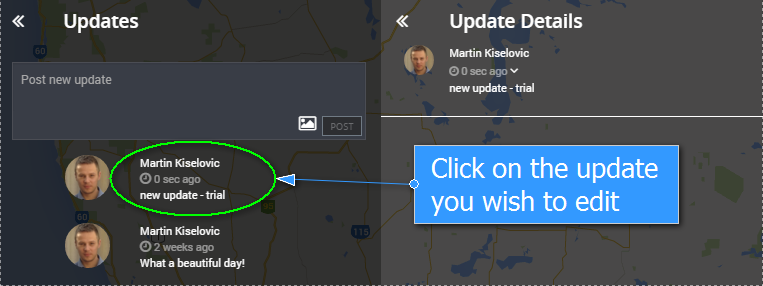
1. Click on the update that you would like to edit.
2. Click on the expand symbol next to the update’s time stamp.
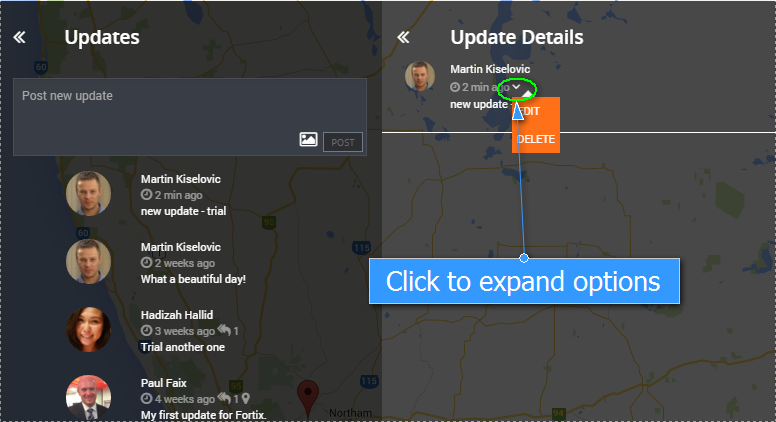
3. Select edit to edit the update.

Deleting an update is the exact same process but you select “DELETE” instead of “EDIT”.
You can edit or delete only your own updates!