Mineler is all about People and Experience!
Adding people to your network is a child’s play:
1. Click on the dashboard People and select Suggestions.
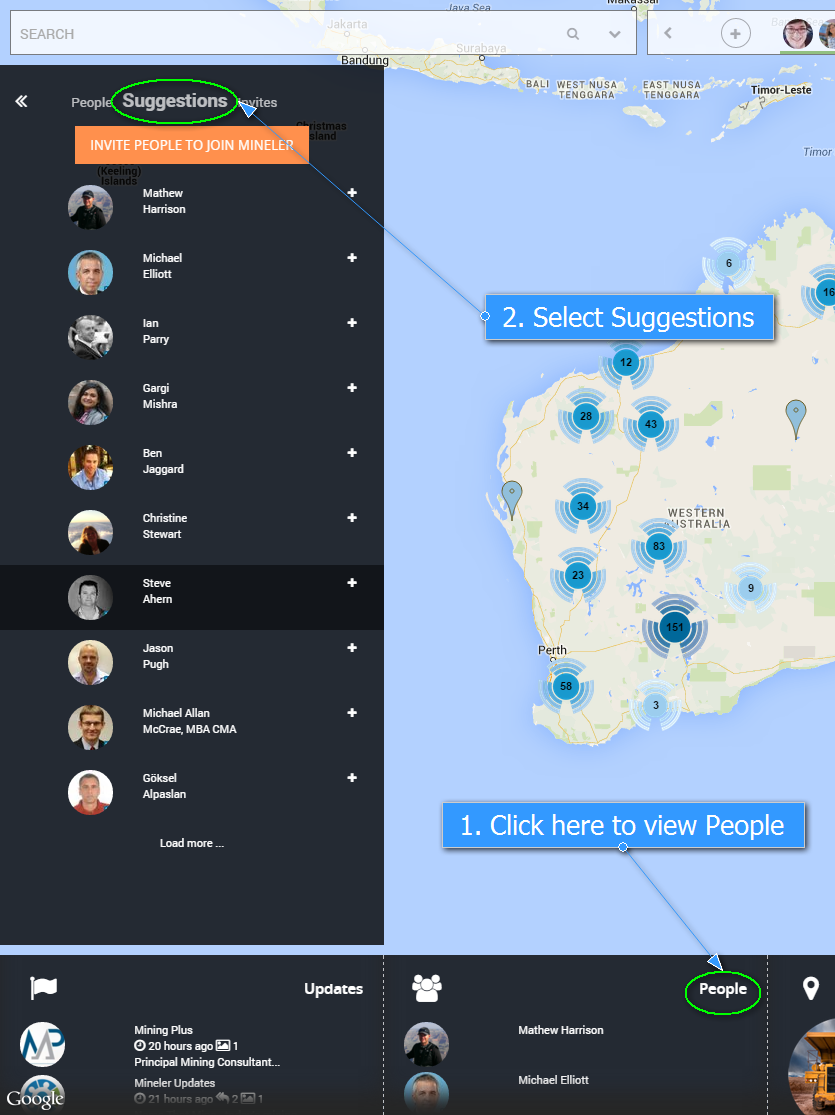
2. Connect with people by clicking on the + sign
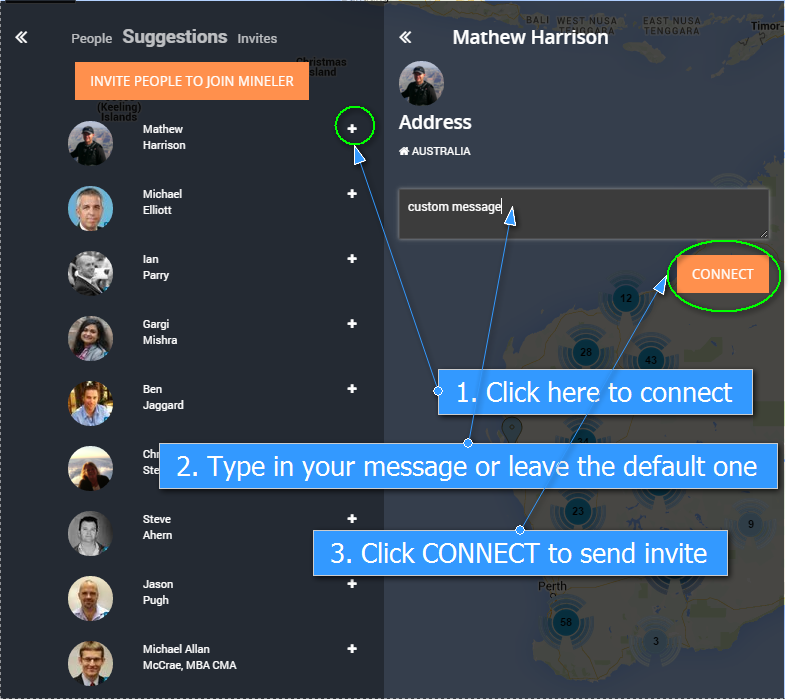
4. You can personalise the invite or leave the default message
5. They will receive an email with a link to connect with you
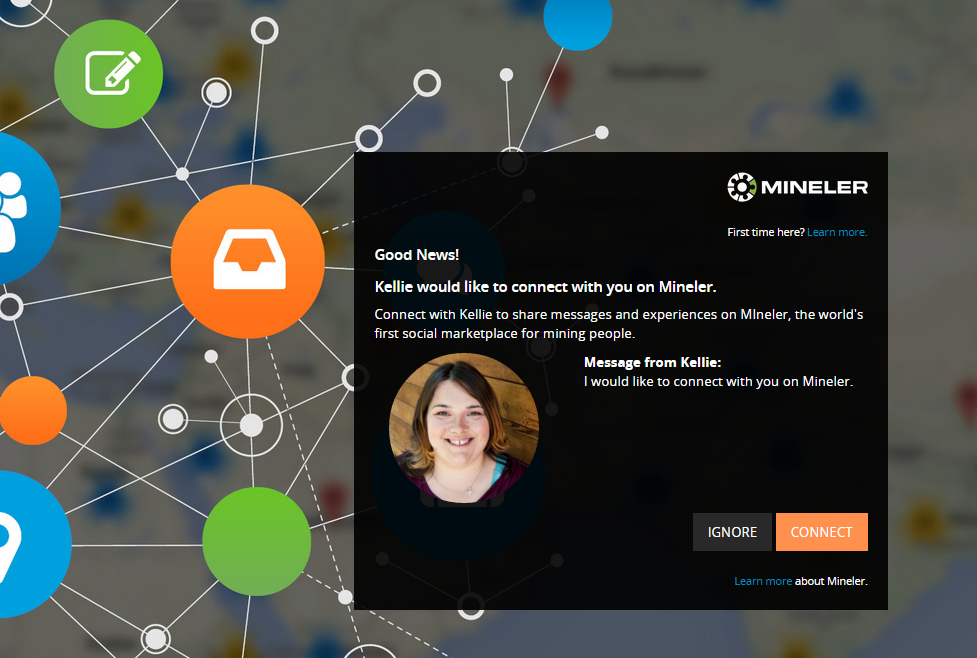
Once the person accepts the invitation to connect with you on Mineler you are able to see the person under -> dashboard People, column People
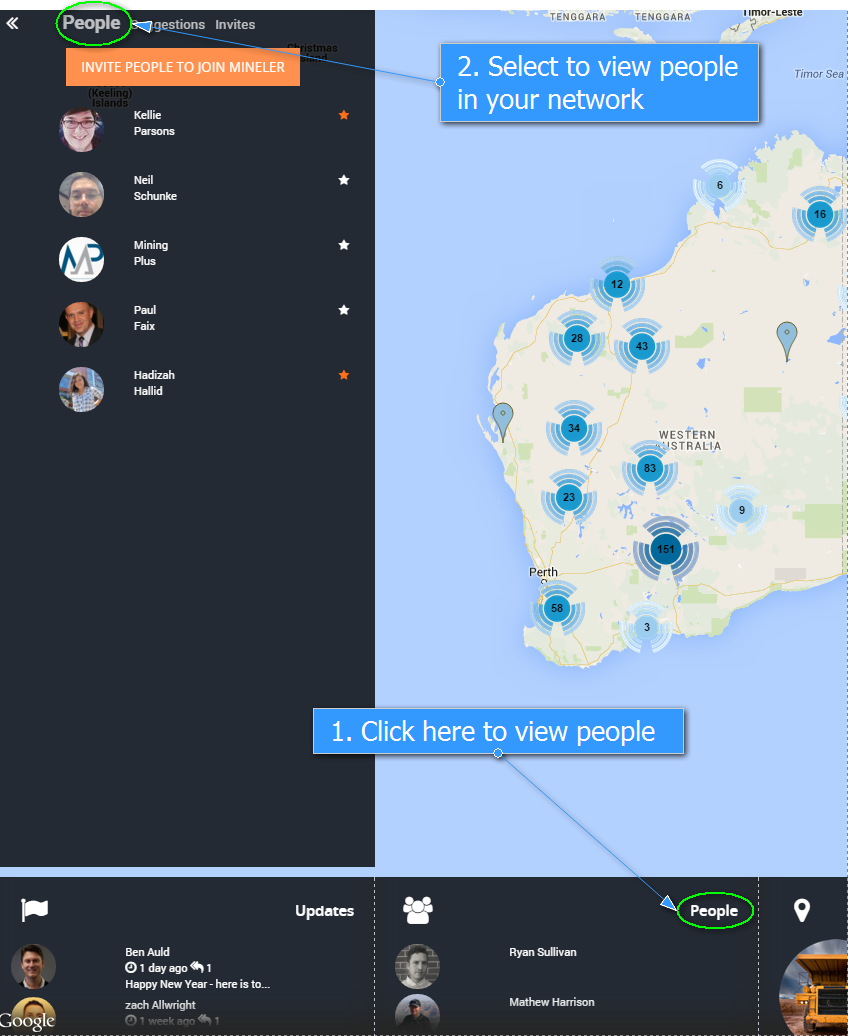
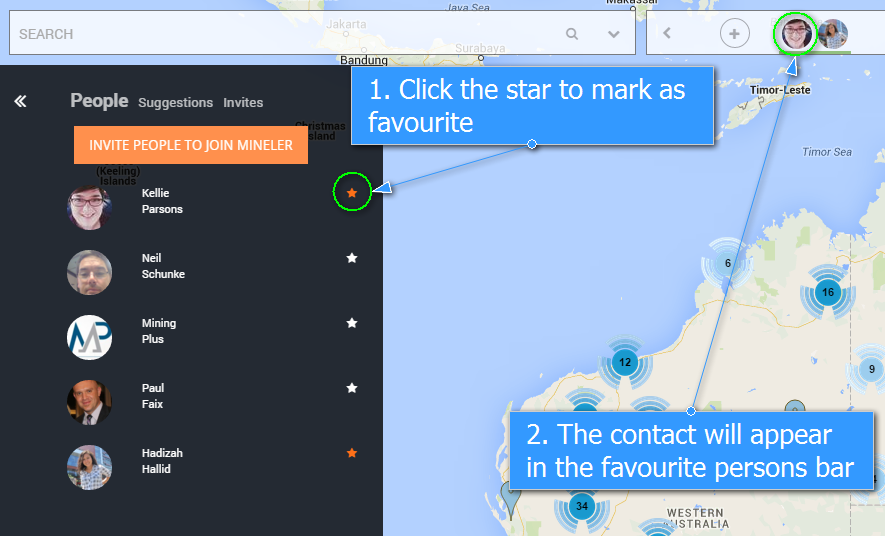
You can even select your favourite ones by clicking on the star on the right hand side of their name.
This will visualise them on the main screen for you.