
Your privacy is safe with Mineler!
In order to protect what you want others to see from your profile adjust your privacy settings:
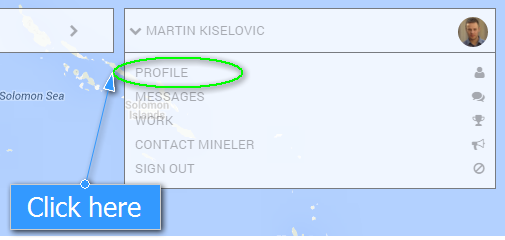
Click your name at the top right of the screen.

Select Profile.
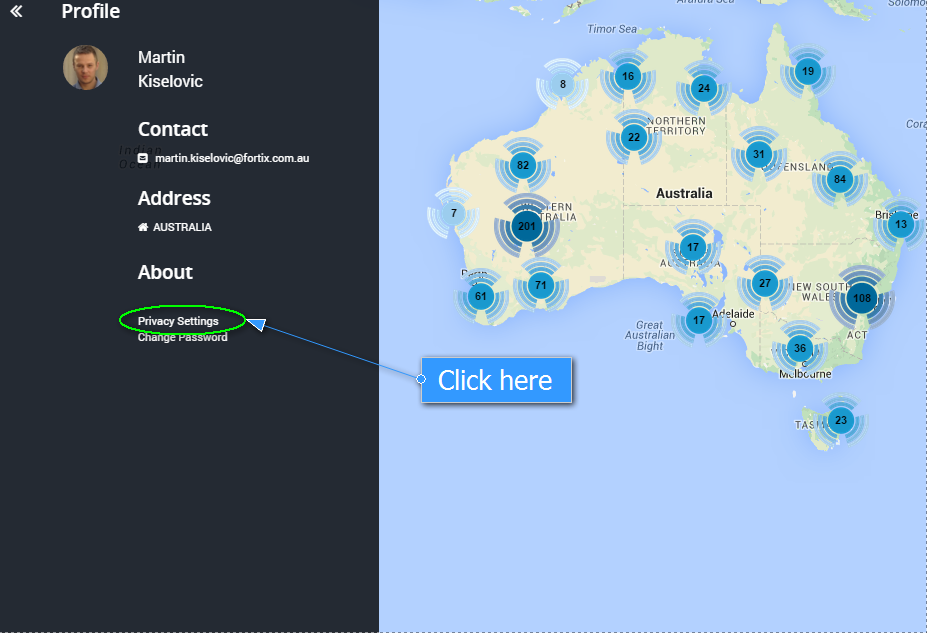
Click on the Privacy Settings.
Privacy panel will visualise and you can set:
1. People outside your network can find your profile.
2. Who can see your contact details
3. Who can see your address
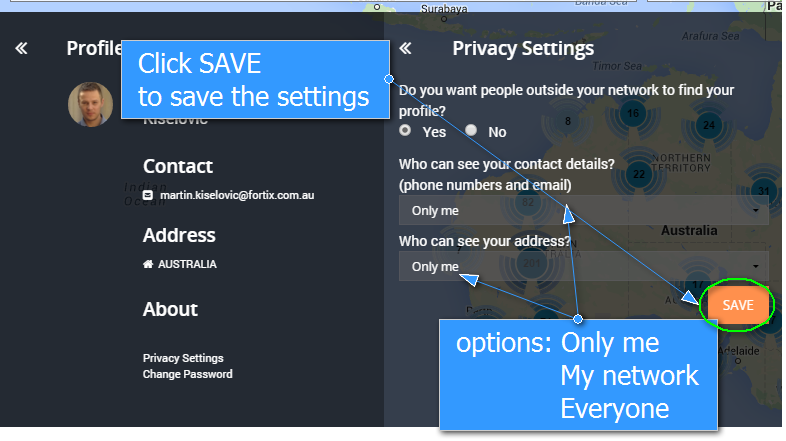
Click SAVE and your profile privacy is now set up!