
Need to find a company, project a person in the network ?
Mineler search can do that for you!
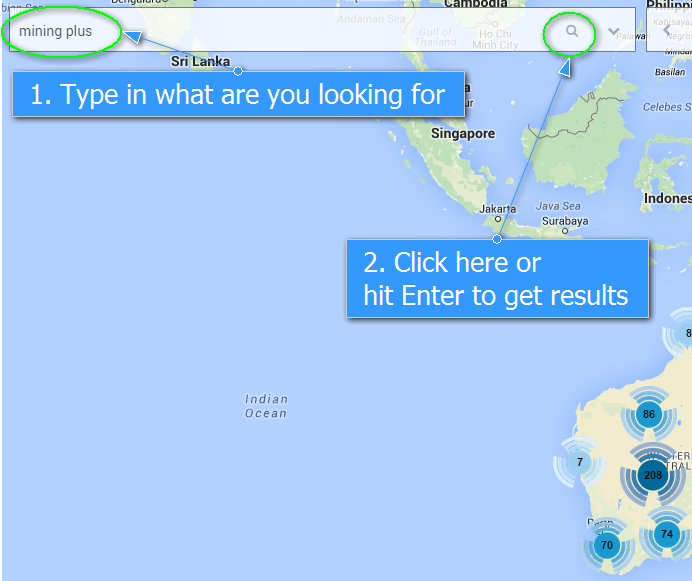
To search for people, projects or companies all you need to do is:
1. Type into the search what you are looking for and press Enter or click on the magnifier icon.
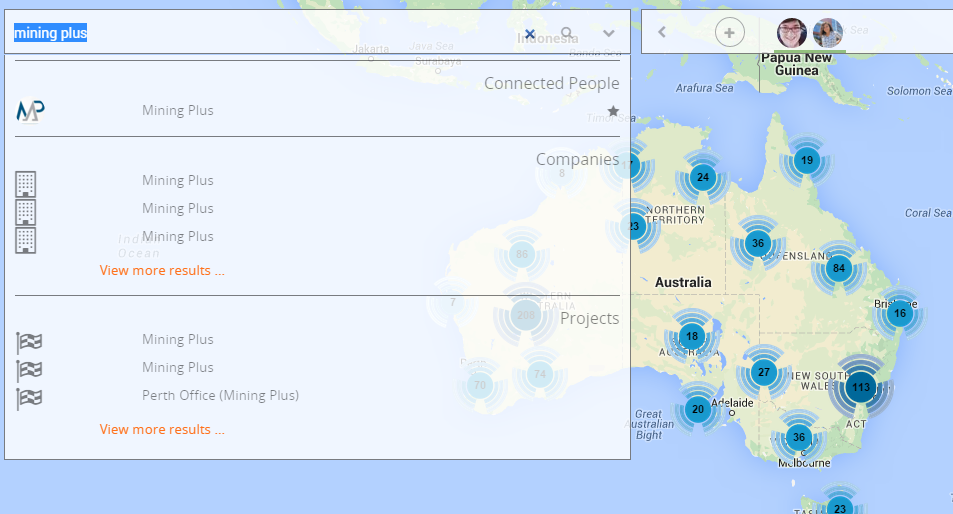
2. A list of results in all the categories will be displayed.
Want to see only a certain country, commodity or a project type? No worries!
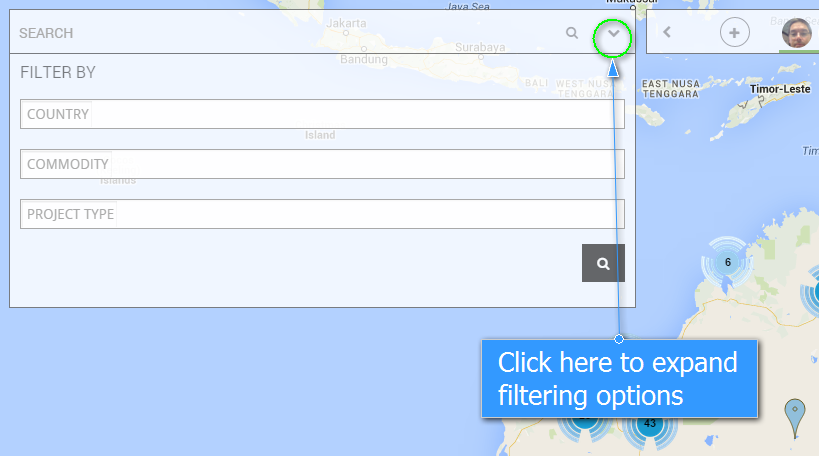
Filtering in the search is what you are looking for.
1. Click the expand symbol on the right corner of the search bar and a filtering options list will populate.
2. Fill in at least one of the filtering criteria and hit the orange filtering icon.
Autocomplete is available if the project/commodity is already in the system.
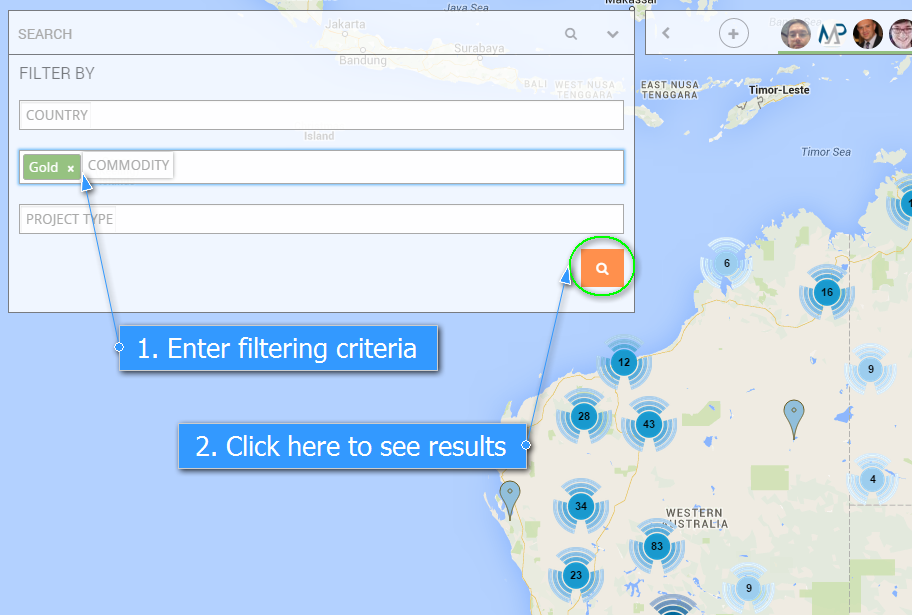
3. Once you apply the filter with the selected filtering criteria you will see the results (pins) on the Map
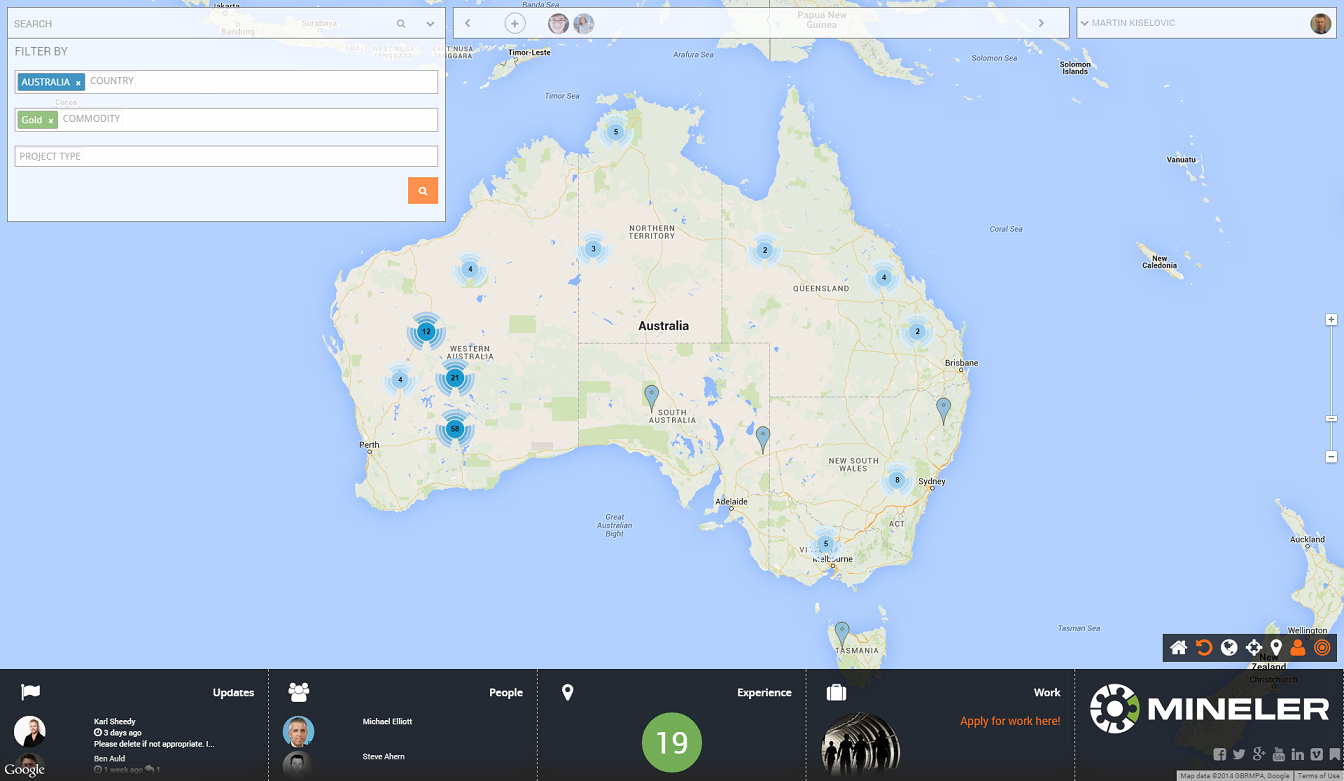
Note: Your dashboard will also be updated based on the filtering applied