
Sharing Mineler updates and work opportunities is a great way to show others the exciting things happening on Mineler’s social marketplace.
Sharing to other social networks is easy:
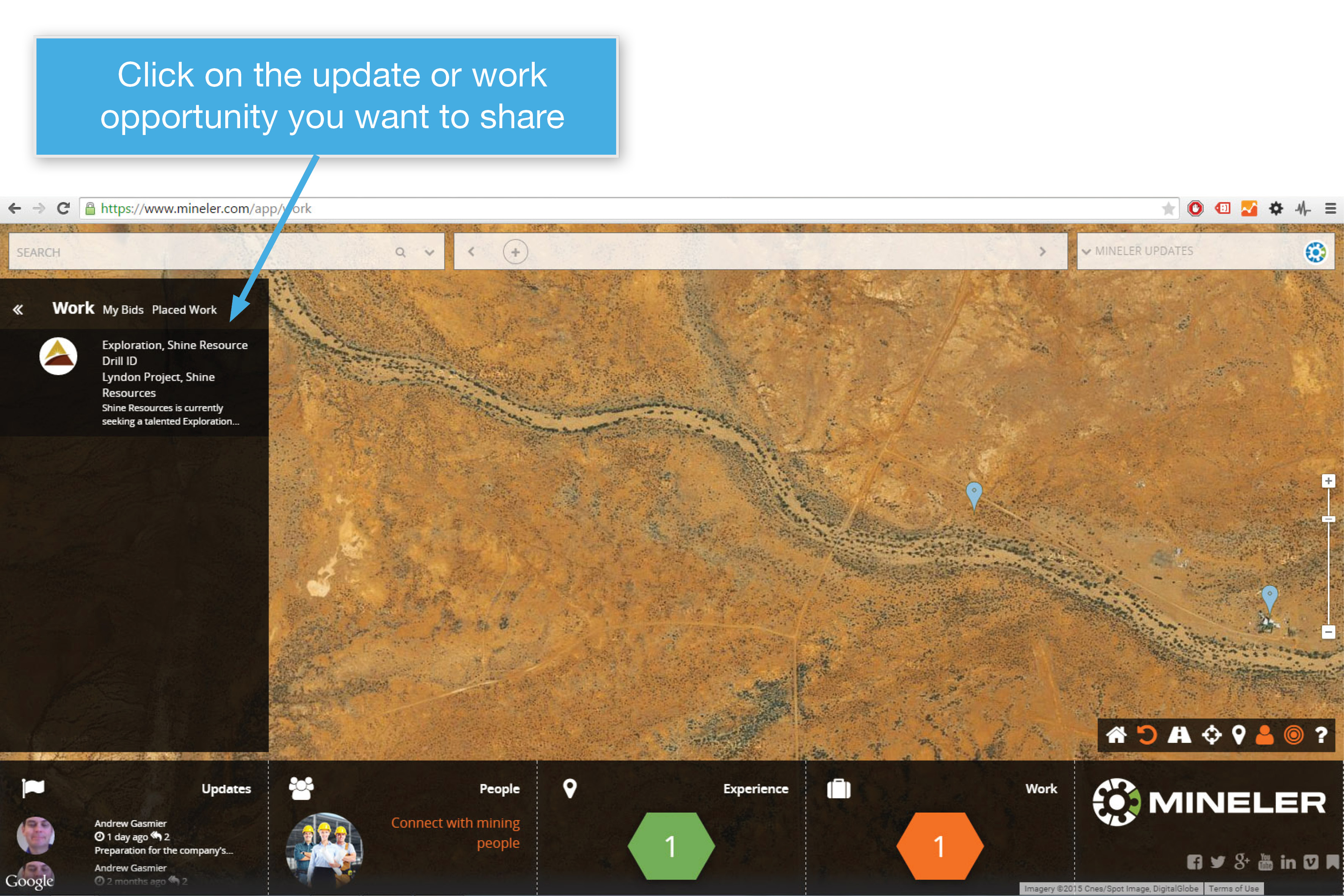
1. Click on the update or work opportunity you want to share
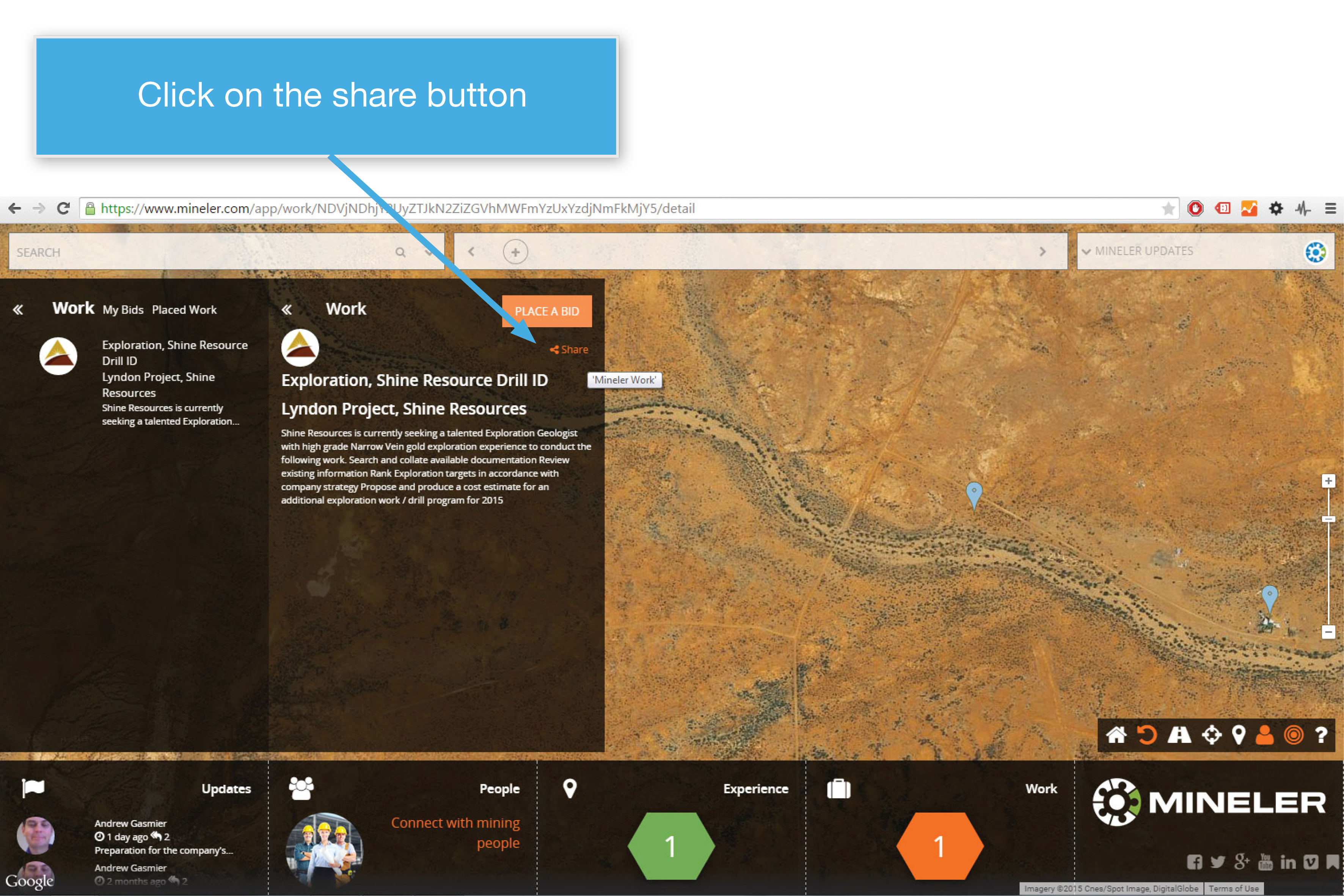
2. Click on the share icon
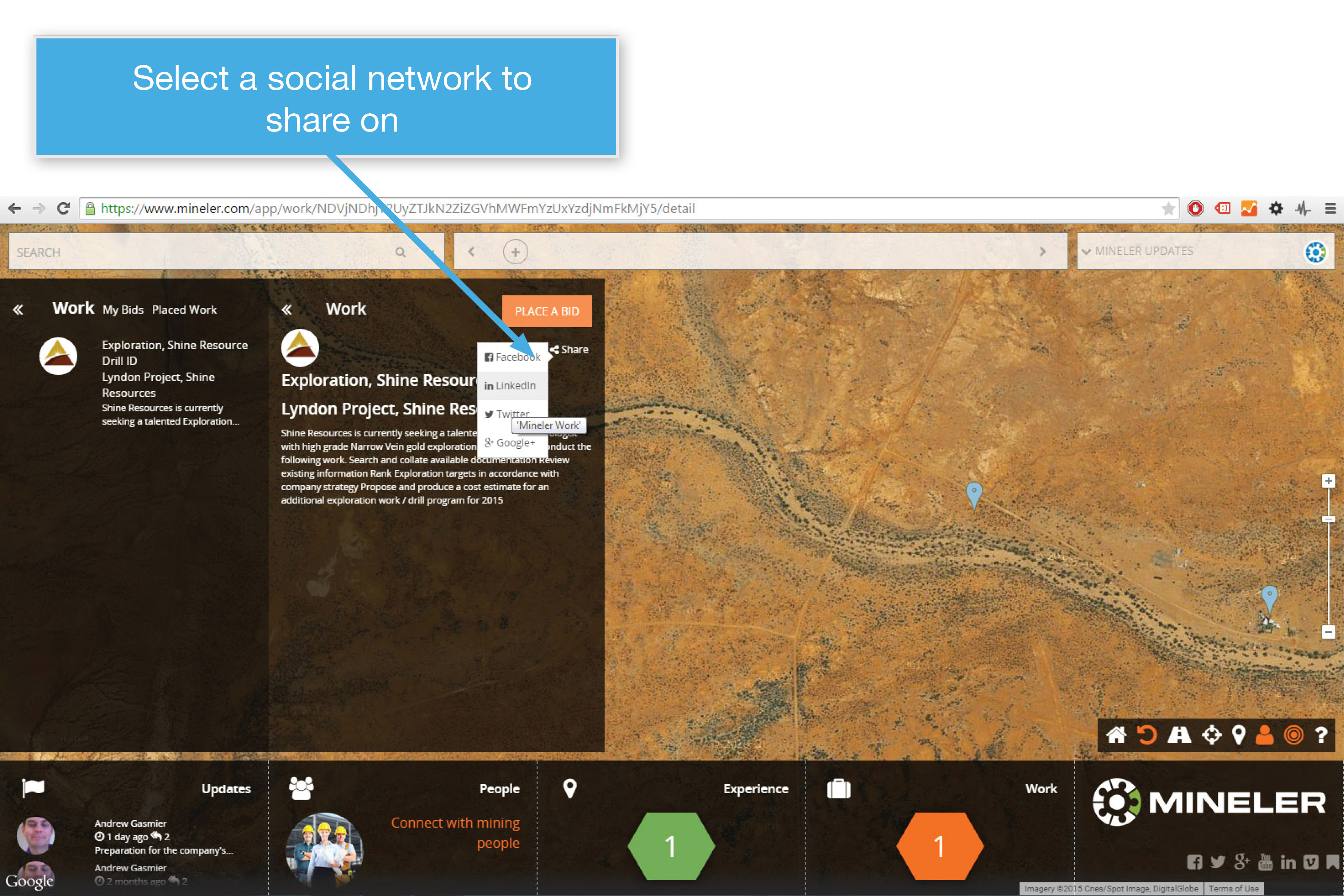
3. Select a social network to share on (Facebook / Twitter / LinkedIn / Google+)
4. A confirmation pop-up will display from your chosen social network. If you are already logged on, you can make changes and post straight away.
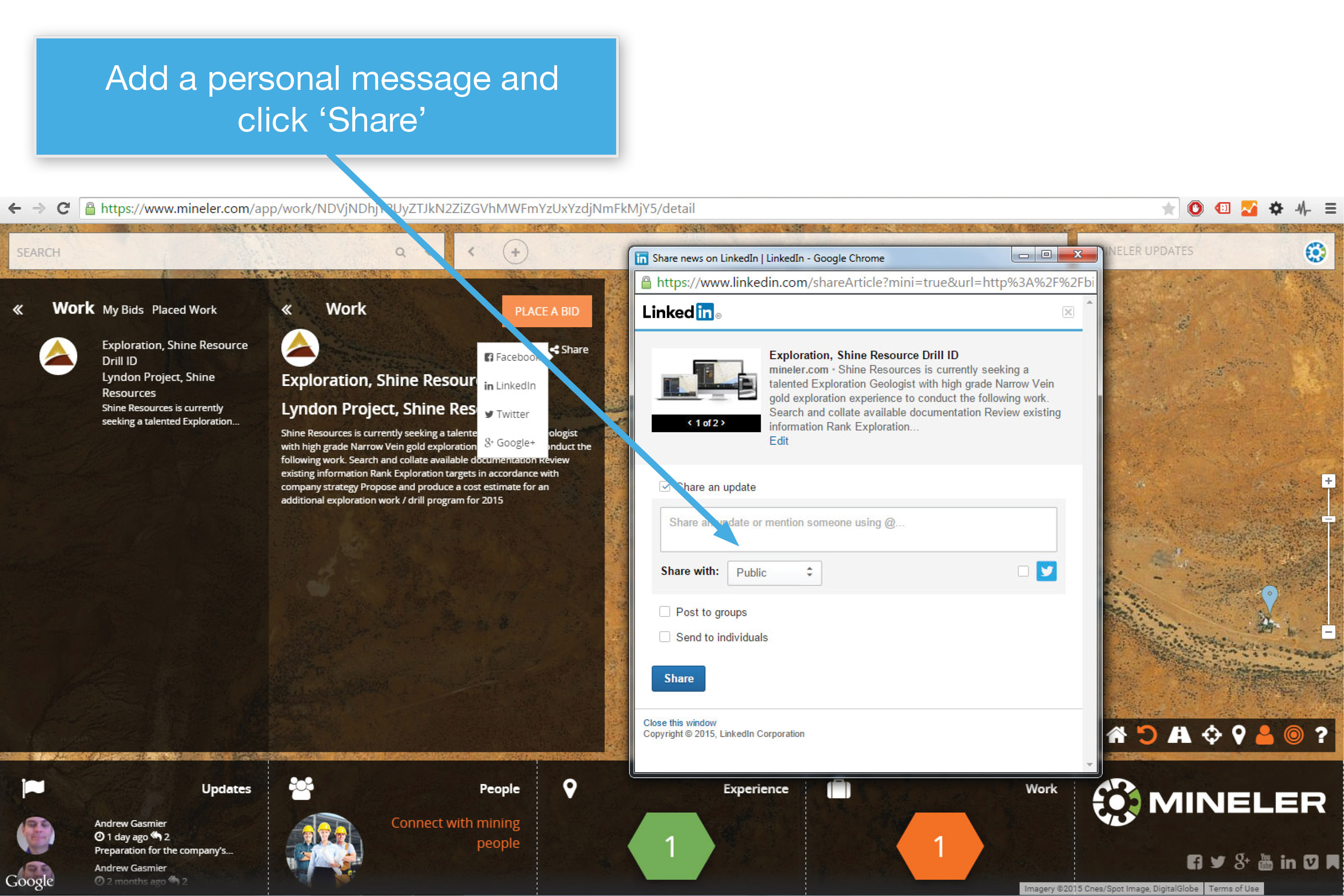
5. Click ‘Share’ and you’re done!
You can also share a direct link to any update, mine site (pin), person or work opportunity. Just browse to the item you want to share on Mineler and copy the unique URL in the broswer’s URL bar. Then paste the copied URL anywhere you like – into an email, social media post or message.
