Take your profile to the next level by uploading a Resume
Here’s how to show potential employers your skills and experience and boost your chances of winning work by uploading a resume to your profile.
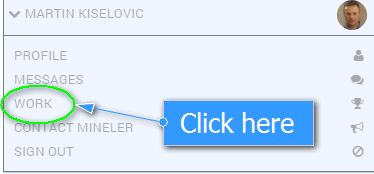
Select your name on the top right hand corner.

Click on the Work option.
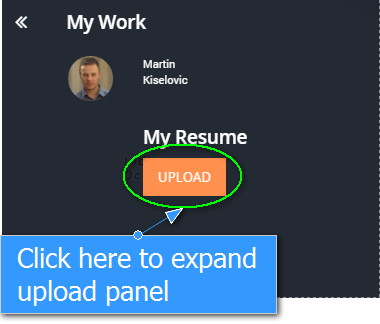
Click “UPLOAD” under resume and a dialogue window will be shown.
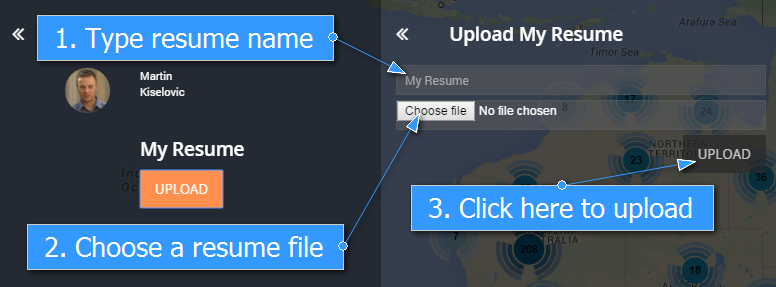
Enter the name for your Resume , choose a file and click “UPLOAD”.
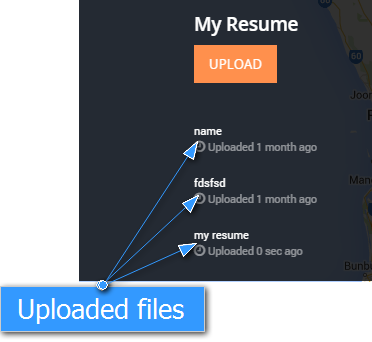
Job done! Your Resume is now attached to you Mineler profile.
You should be able to see the file once it is uploaded.