
Favourite People
Do you often need to match or find information about some of the people from your network?
If the answer is “Yes”, you could mark/label these people as your favourite(s) and then work with the information later on:
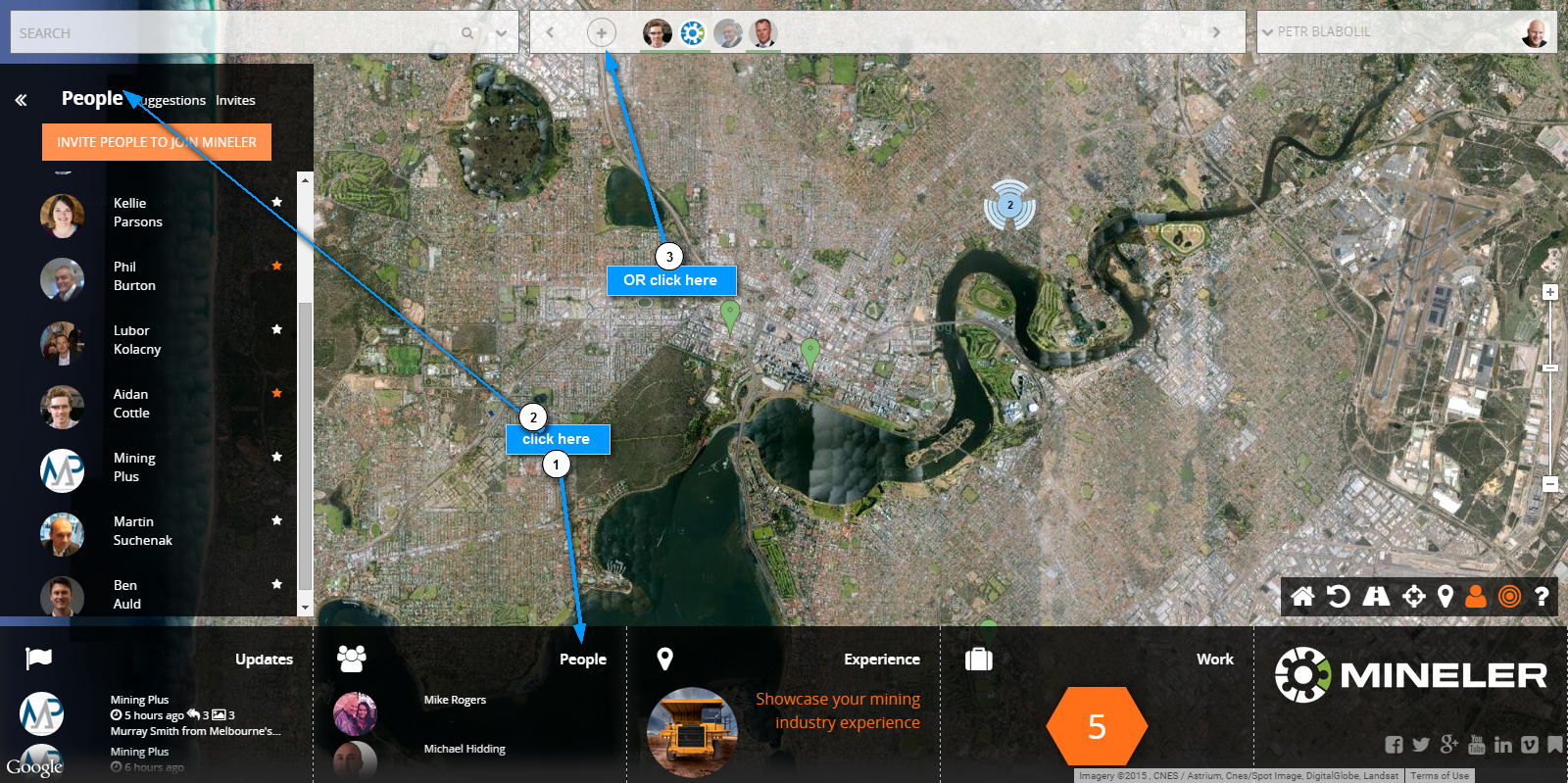
1) Click ‘People’ on the dashboard and ‘People’ in the top bar OR simply click X
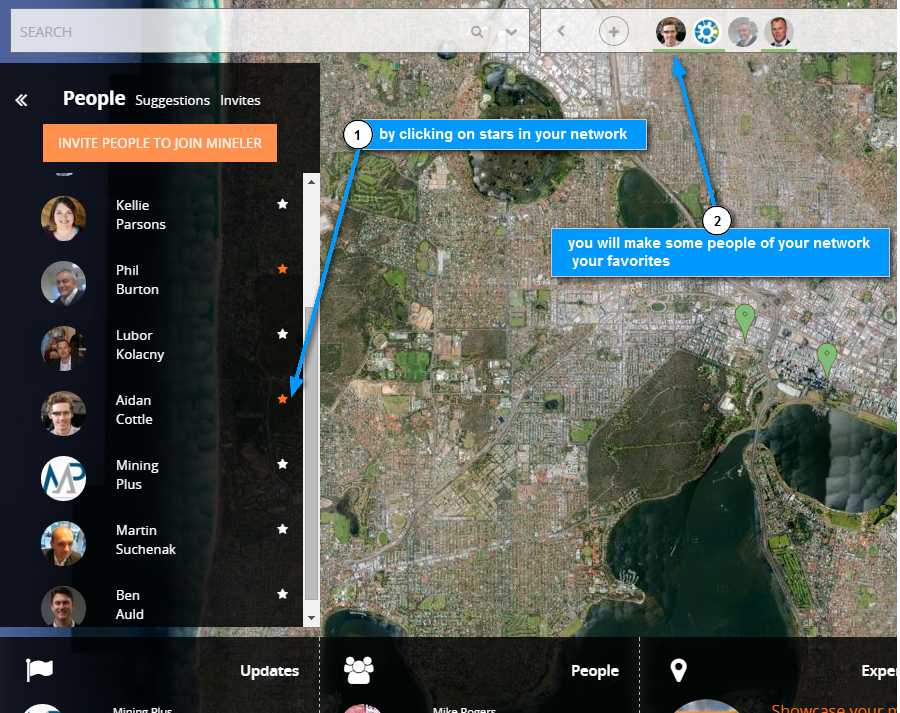
2) To make people in your network favourites, click on the”stars” next to their profiles
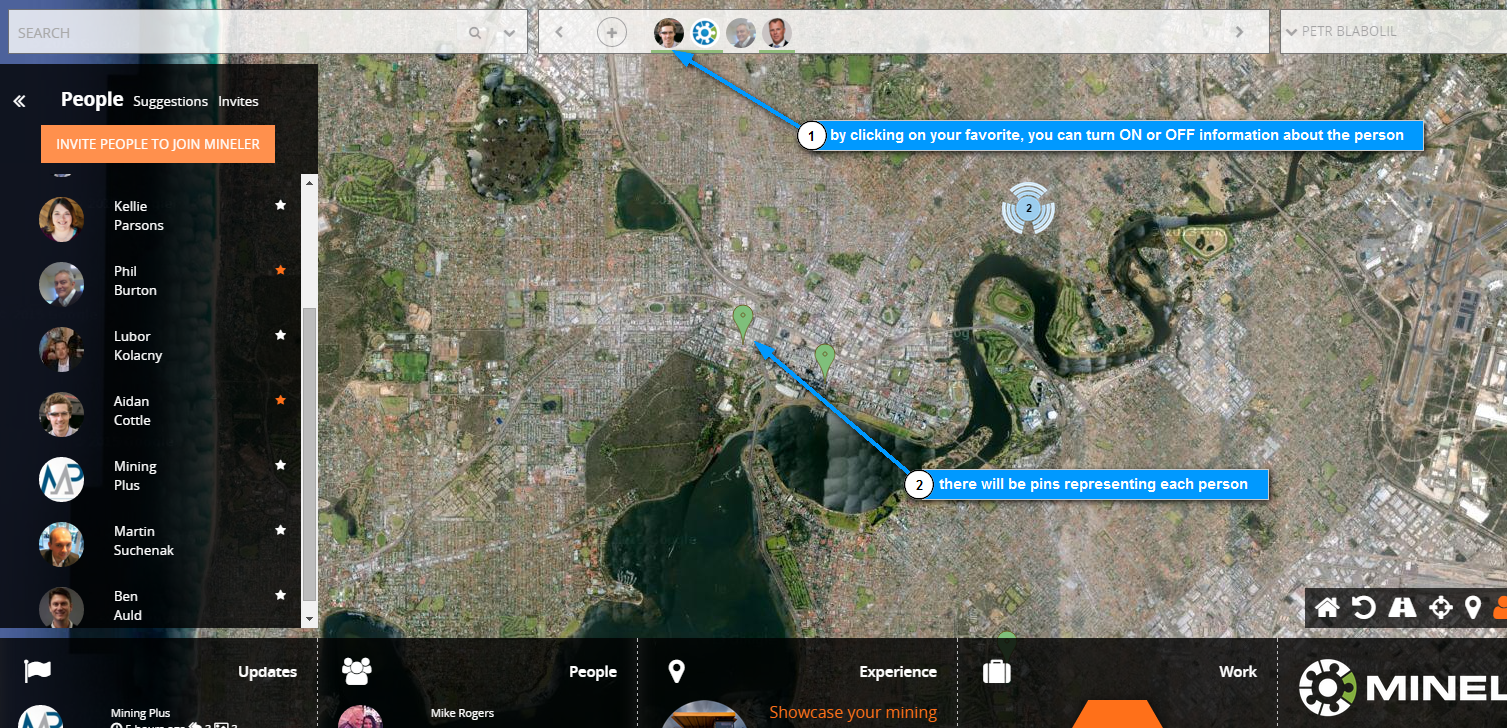
3) In the top bar you can turn map information about a particular person ON or OFF
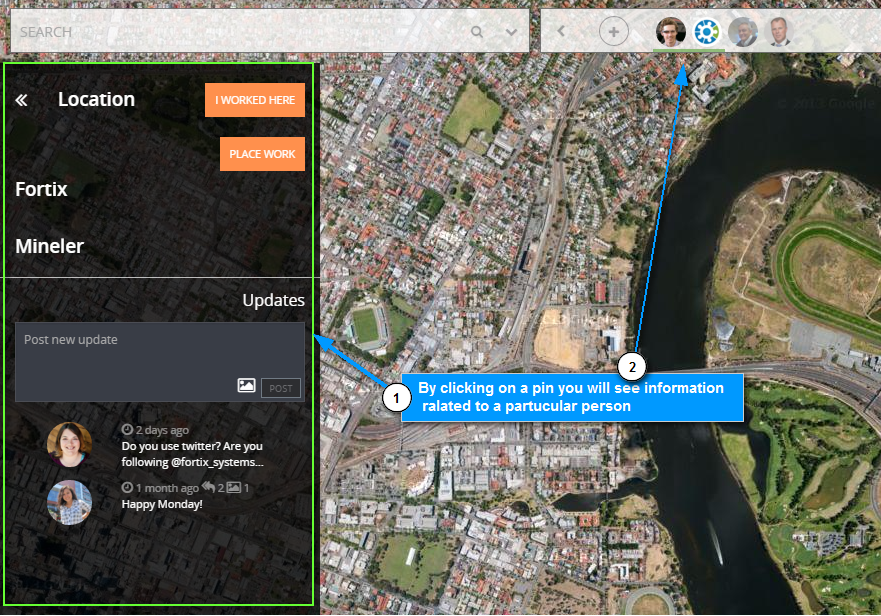
4) By clicking on a particular pin you will display information related to your favourite(s)
In order to remove a favourite, hover over the favorite and click on X to remove.
You could also repeat steps 1) and 2) in order to deactivate favorite user(s)
