
How to post a work opportunity and start attracting competitive bids for your micro-tender on Mineler:
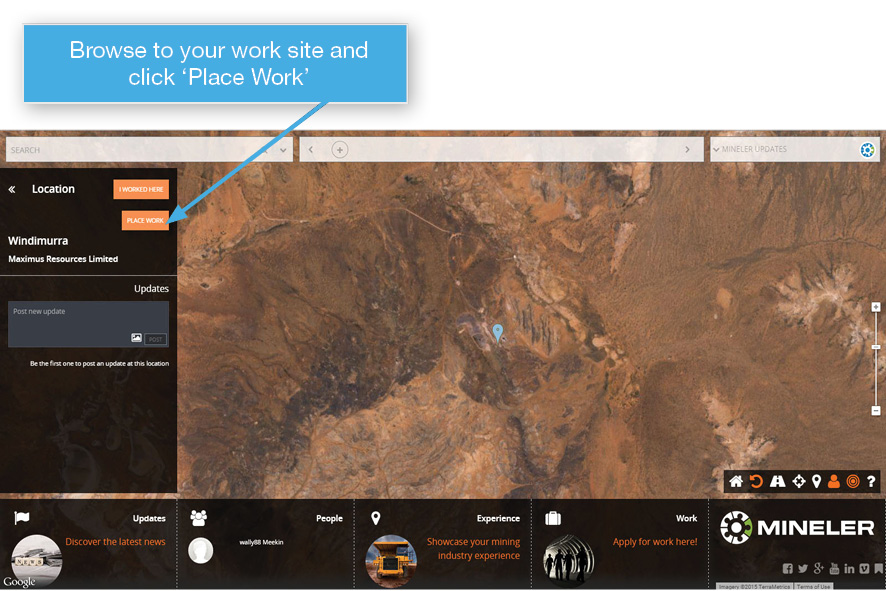
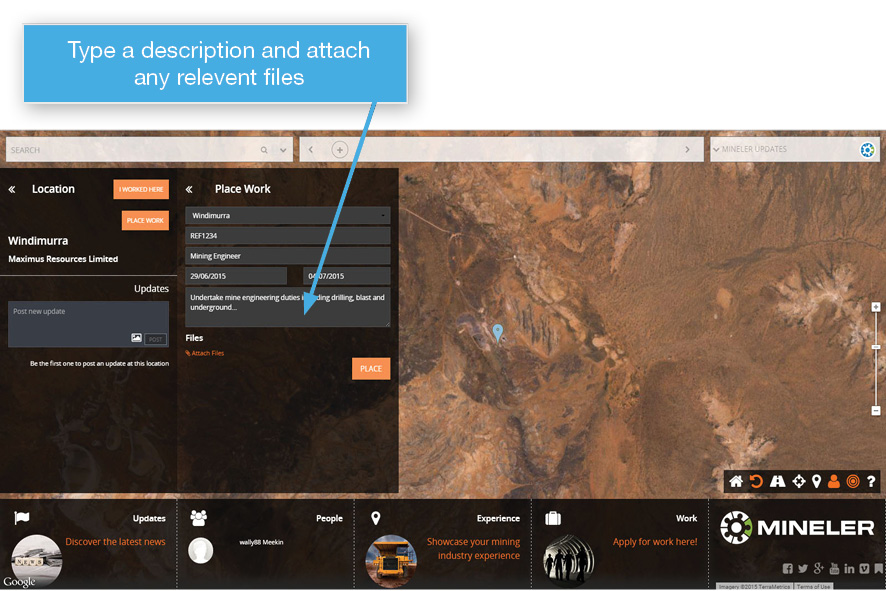
1. Find your mine site or work location for the required work and click on ‘Place Work’
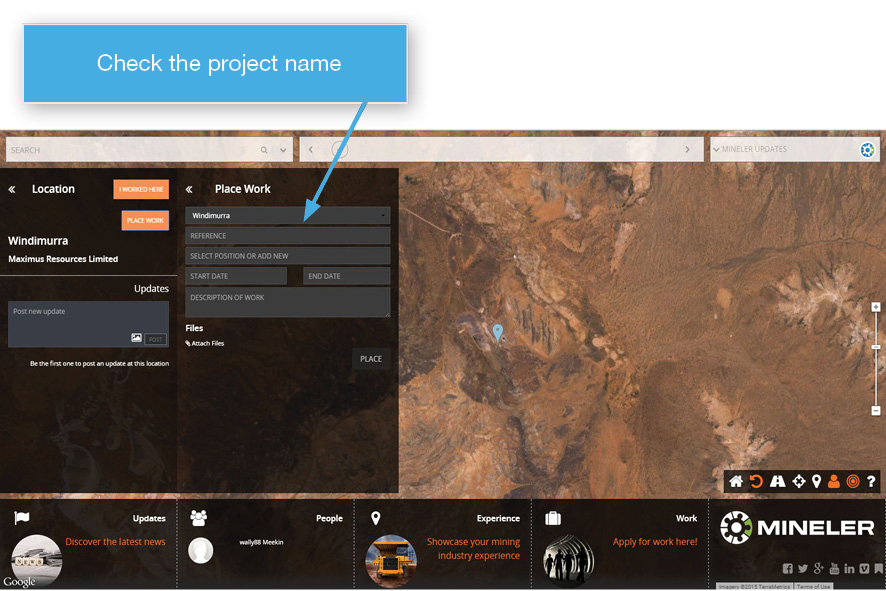
2. Confirm the project name is correct
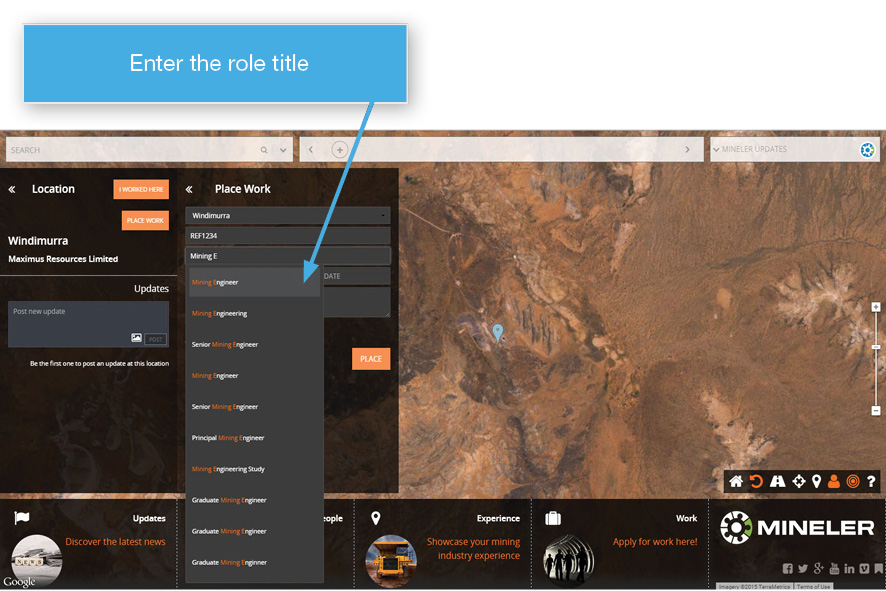
3. Enter your internal reference number and the role name by typing the first few letters and select from the pre-filled options
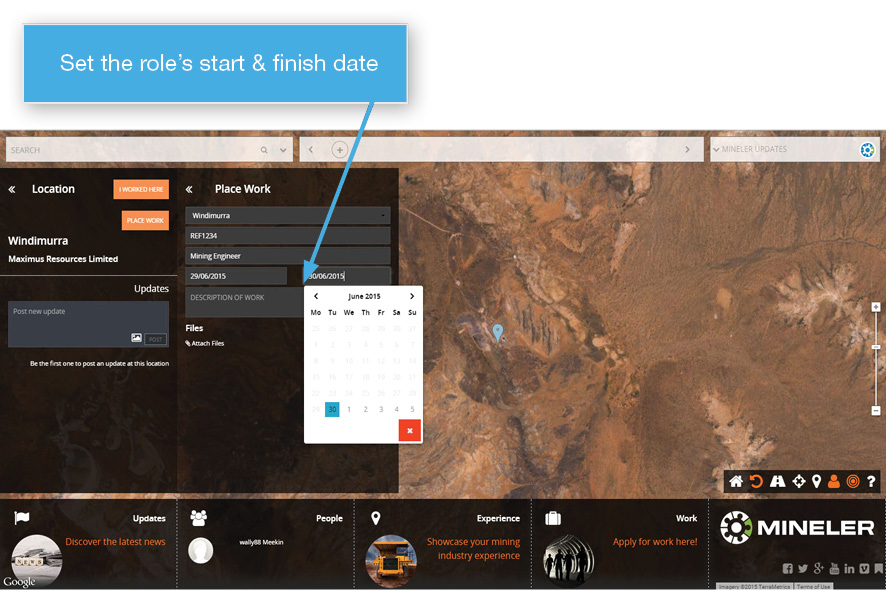
4. Choose a start and finish date for the work to take place
5. Type a description for the work requirements. The more detail you can include the better! Attach any supporting files or documents to elaborate on the work opportunity.
6. Click ‘Place’ and your work opportunity will go live to Mineler’s membership of skilled mining workers
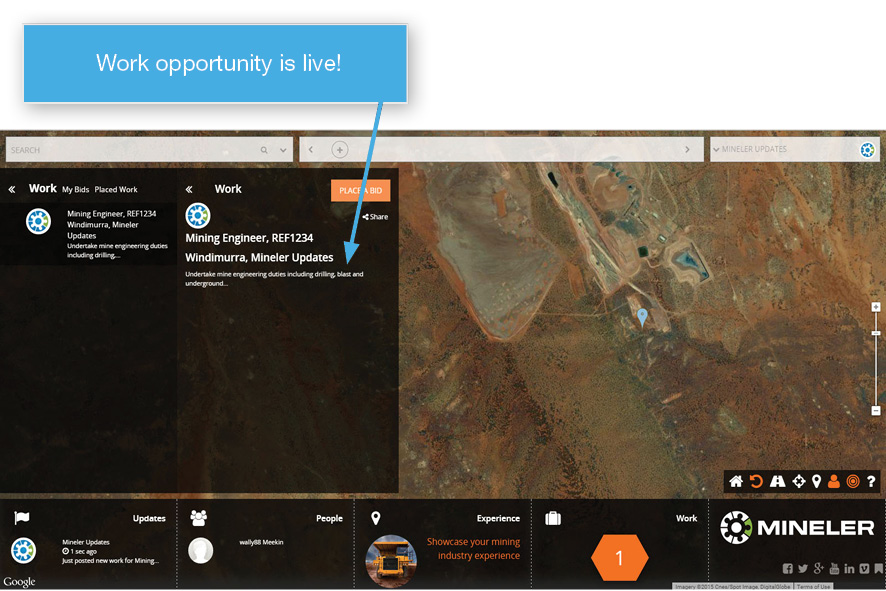
7. You will receive a confirmation email with links to access your work posting at a later date
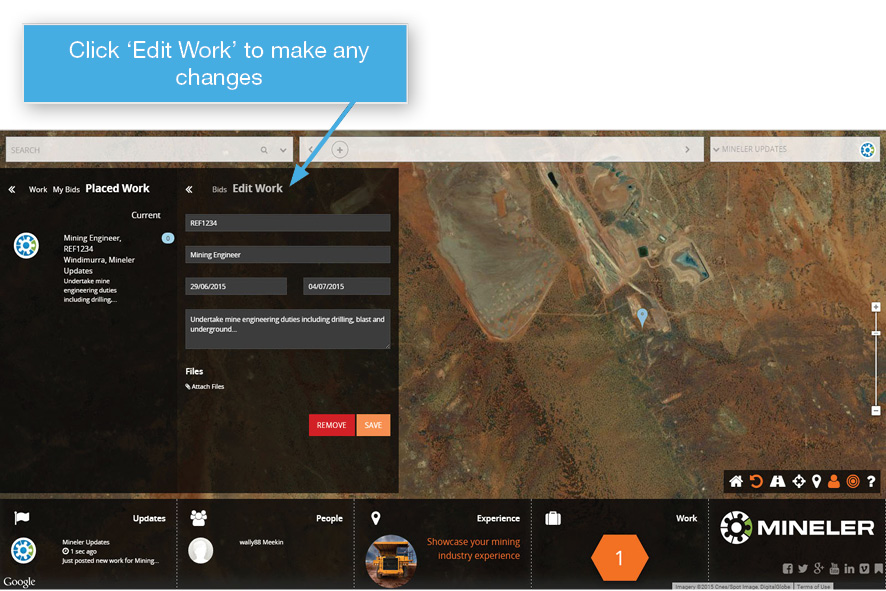
8. If you need to make any changes, click on Edit Work. You can also remove your placement if needed.
9. As bids are placed, they will be listed with details from the bidder and their nominated price.
10. Just click ‘Accept’ on your preferred Bid and get started!
