
Creating a profile for your company on Mineler allows you to promote your products and services and post work for skilled mining people to bid on.
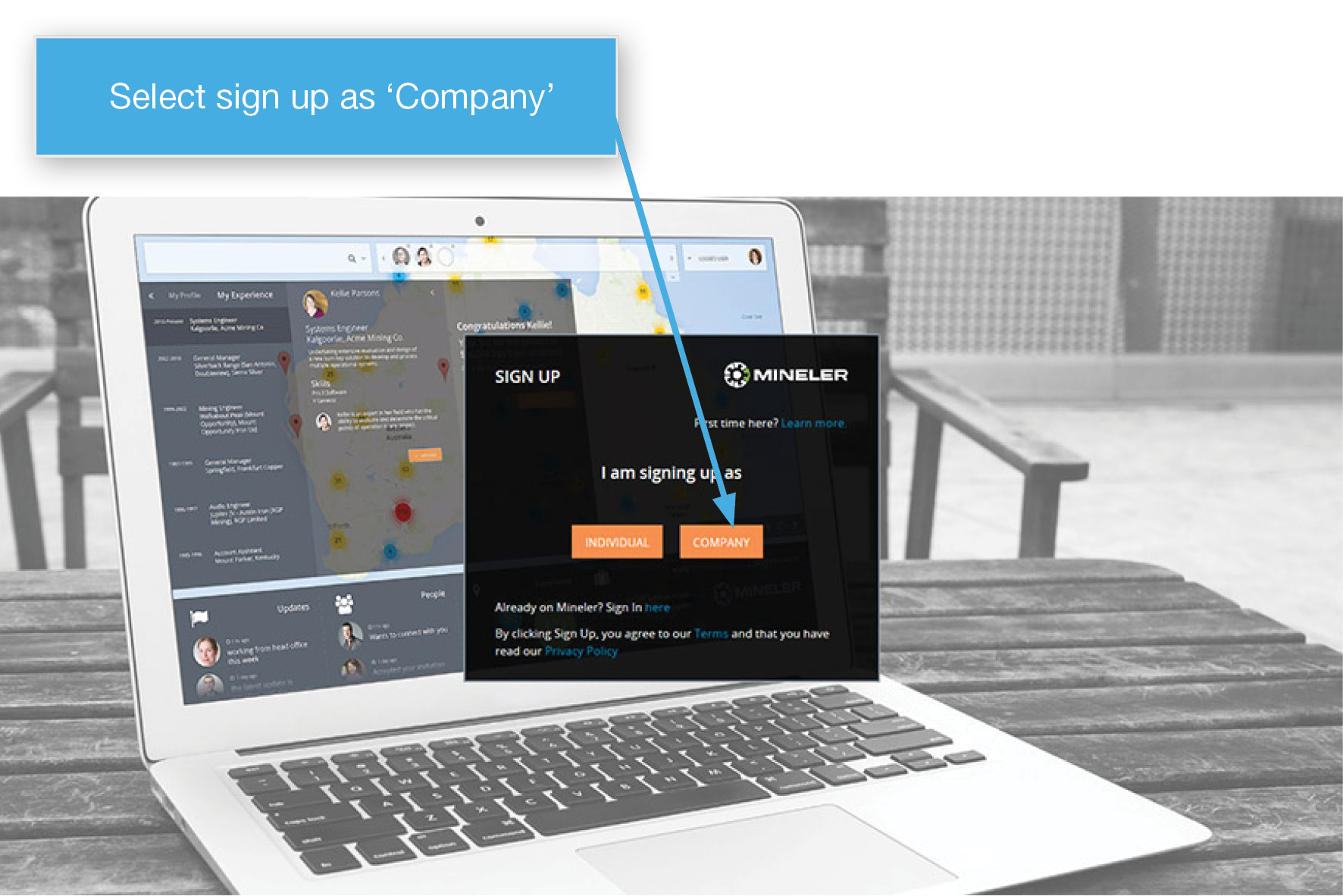
1. To get started, open www.mineler.com/signup and select ‘Company’
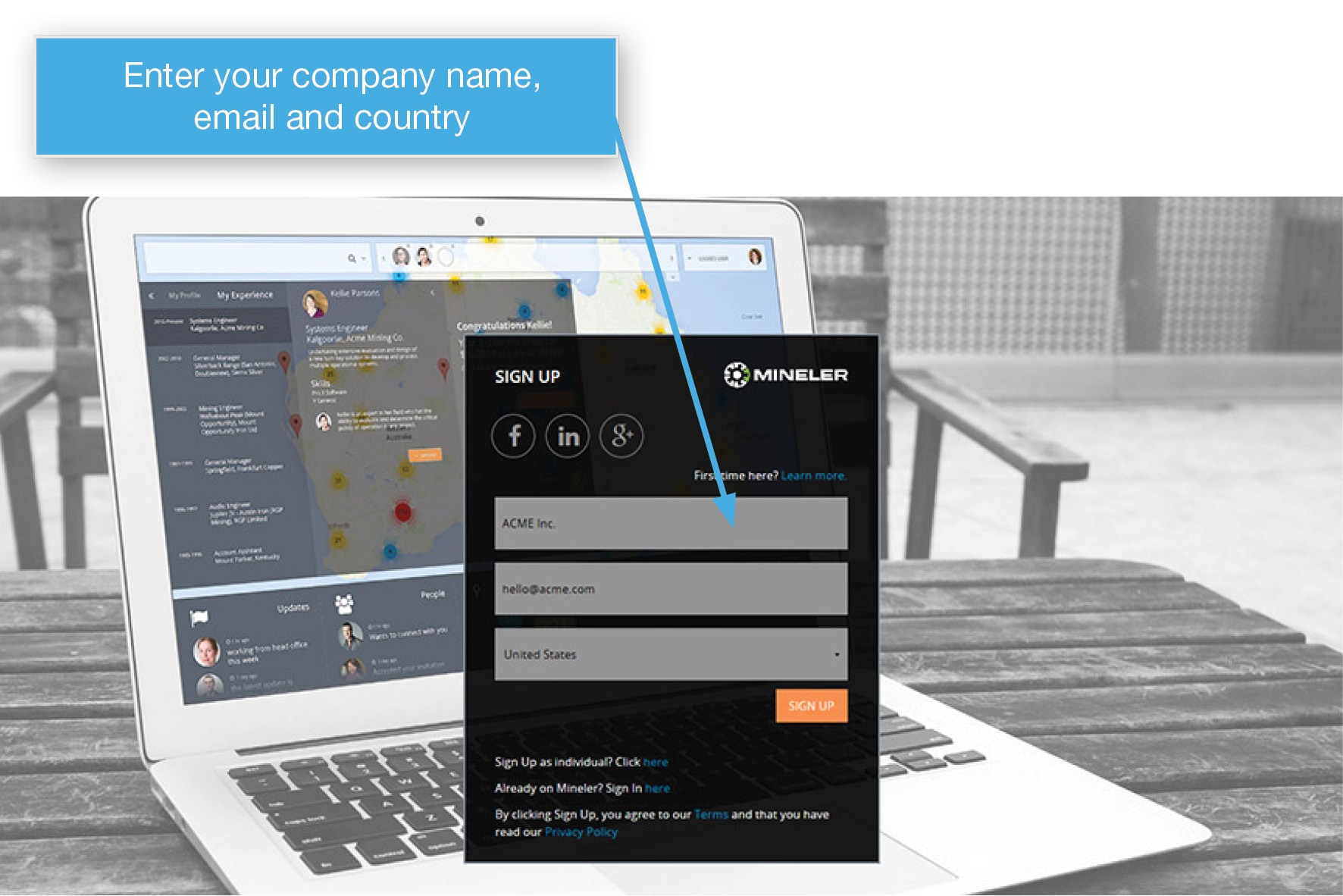
2. Enter your Company’s name, email and country. Please note, it is important you enter a valid email as we will send you a confirmation email.
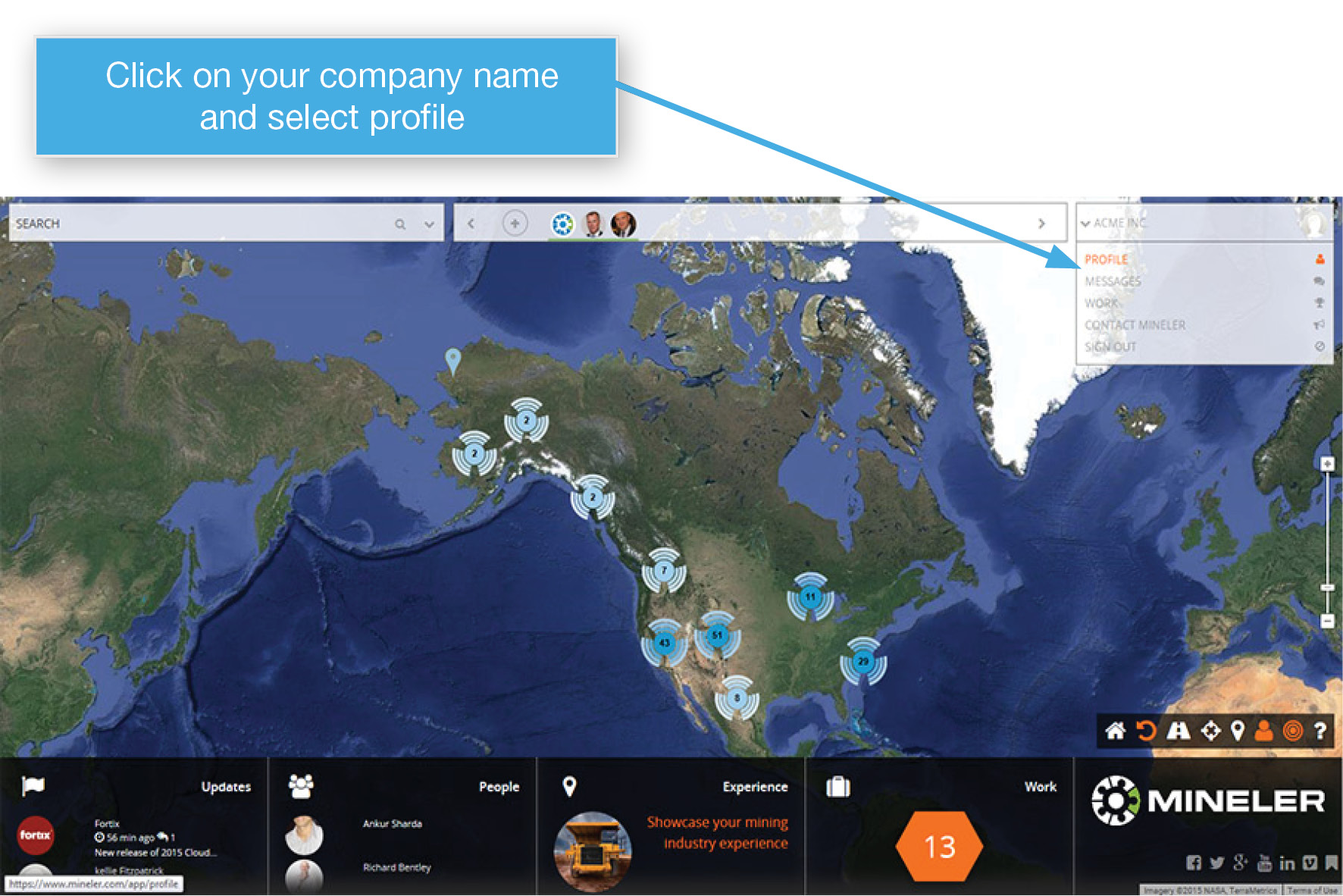
3. Once logged in, click on your company’s name in the top right corner and then click profile
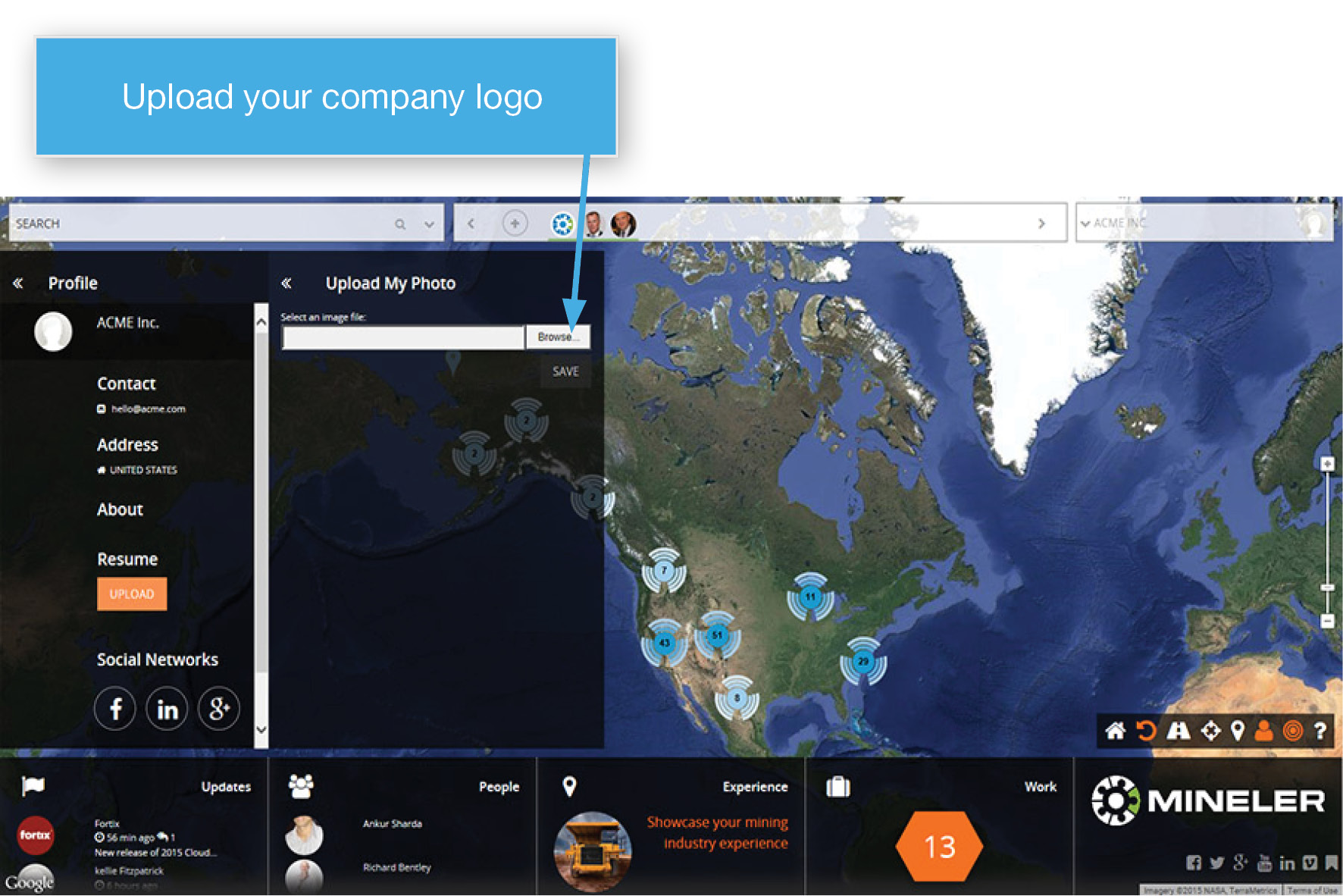
4. Look professional by uploading your Company’s logo or photo. Click on the placeholder (blank) image, then click Browse to find the logo file on your computer. JPG, PNG and GIF files are accepted and a square/circle orientation looks best.
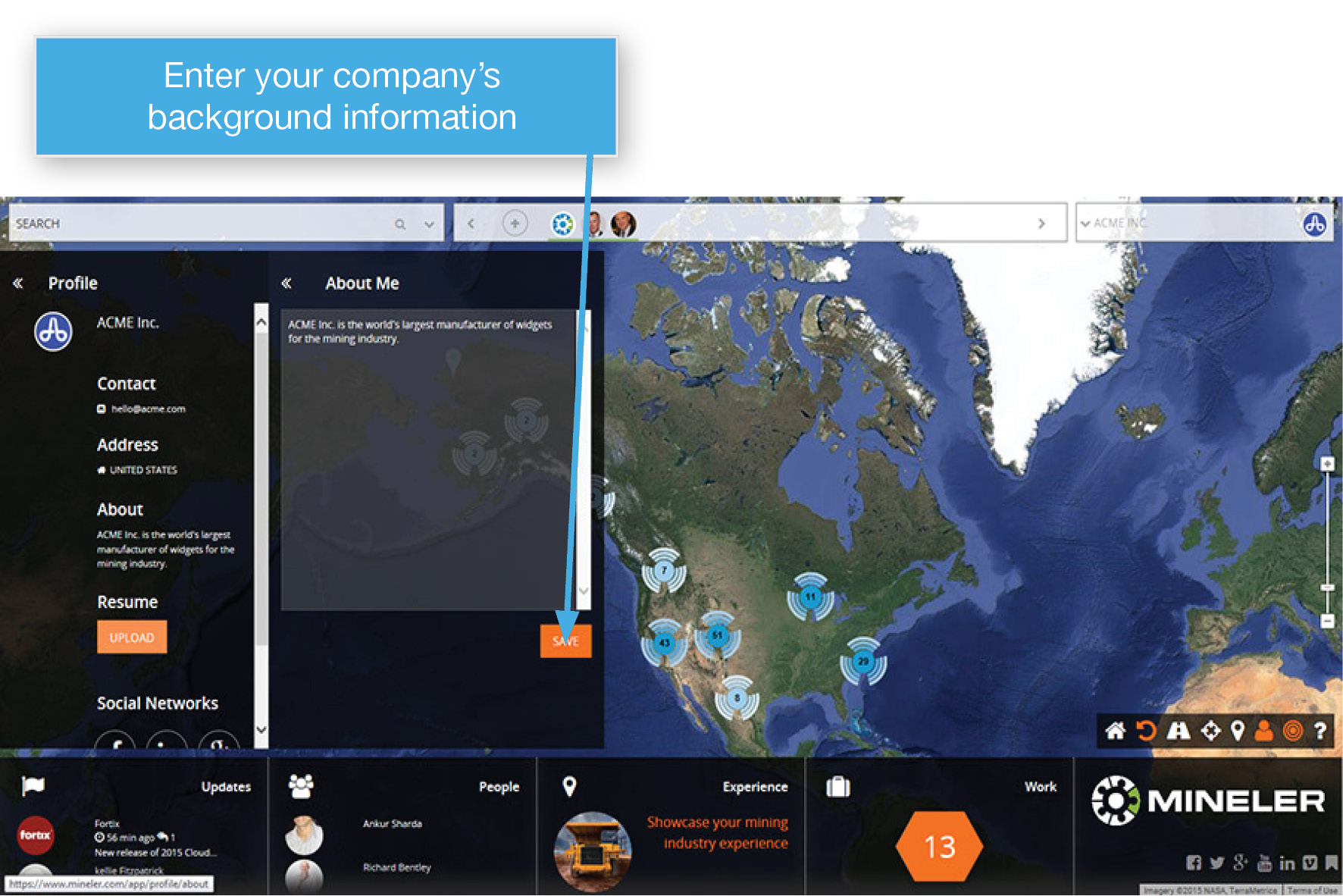
5. Enter a description about your Company. Provide a little background story about what your Company does, the products and services it offers.
Now you can start exploring your world of opportunity, visit mining pins, enter your Company’s on-site work experience and post work opportunities.